
Reusable templates
Mark anchors and fields on a sample. Reuse them for subsequent documents with the same layout.
SandGull · Table recognition for Windows
Define fields once on a sample, then process images or scanned PDFs with the same layout. Compare results with the source, edit cells and export to Excel. For one-off tables, use general recognition to recover the table structure directly.
Download for Windows ↓Try an image for free ↗SandGull 1.1.12 supports English and Simplified Chinese in the Windows client and installer. Choose a language in Settings and restart to apply it.
Mark anchors and fields on a sample. Reuse them for subsequent documents with the same layout.
Import images and scanned PDFs in the Windows client. Review possible duplicate inputs before processing.
Confidence and structural warnings help locate items to check. Compare against the original and edit cell text. Warnings cannot detect every error.
Export reviewed results for archiving, consolidation or further analysis.
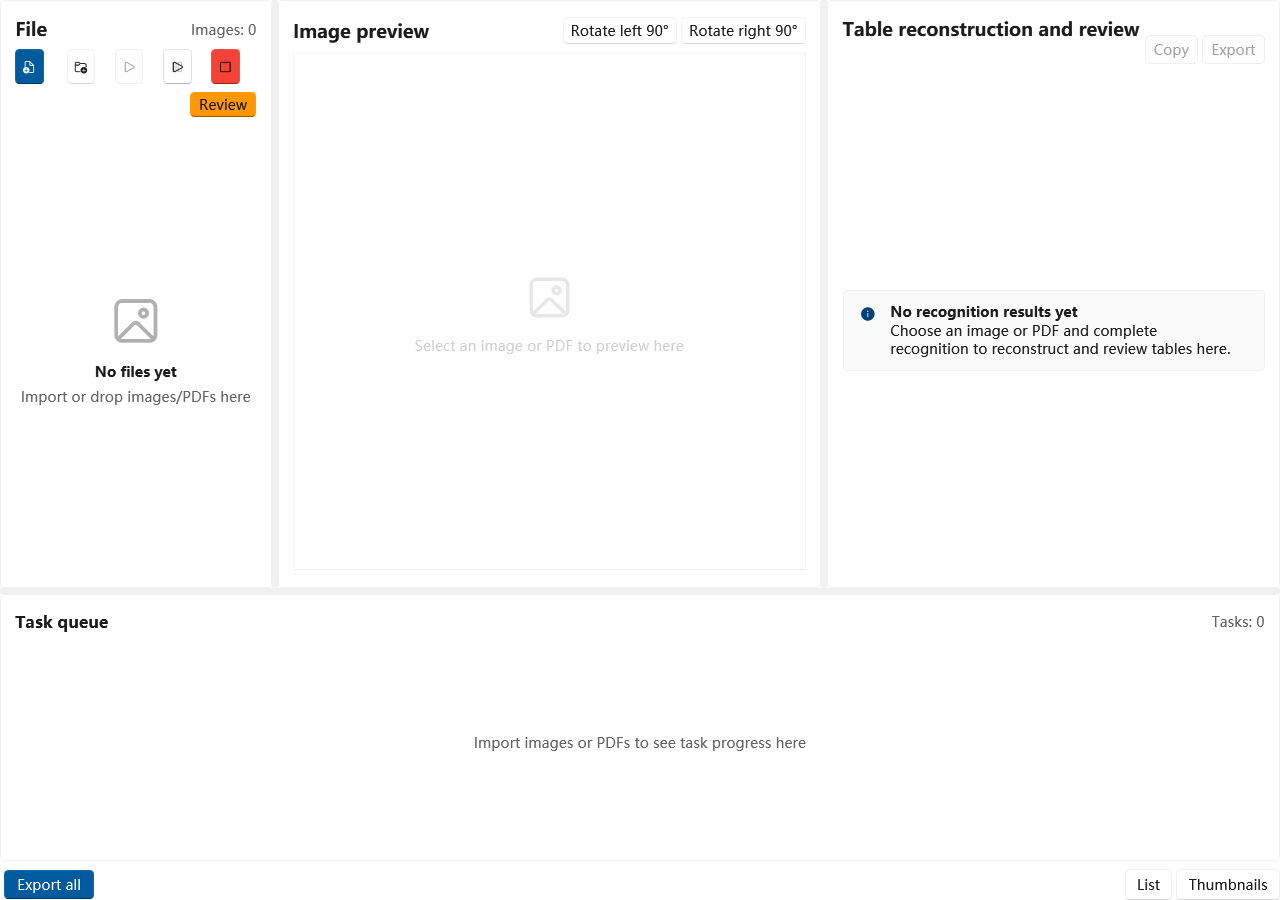
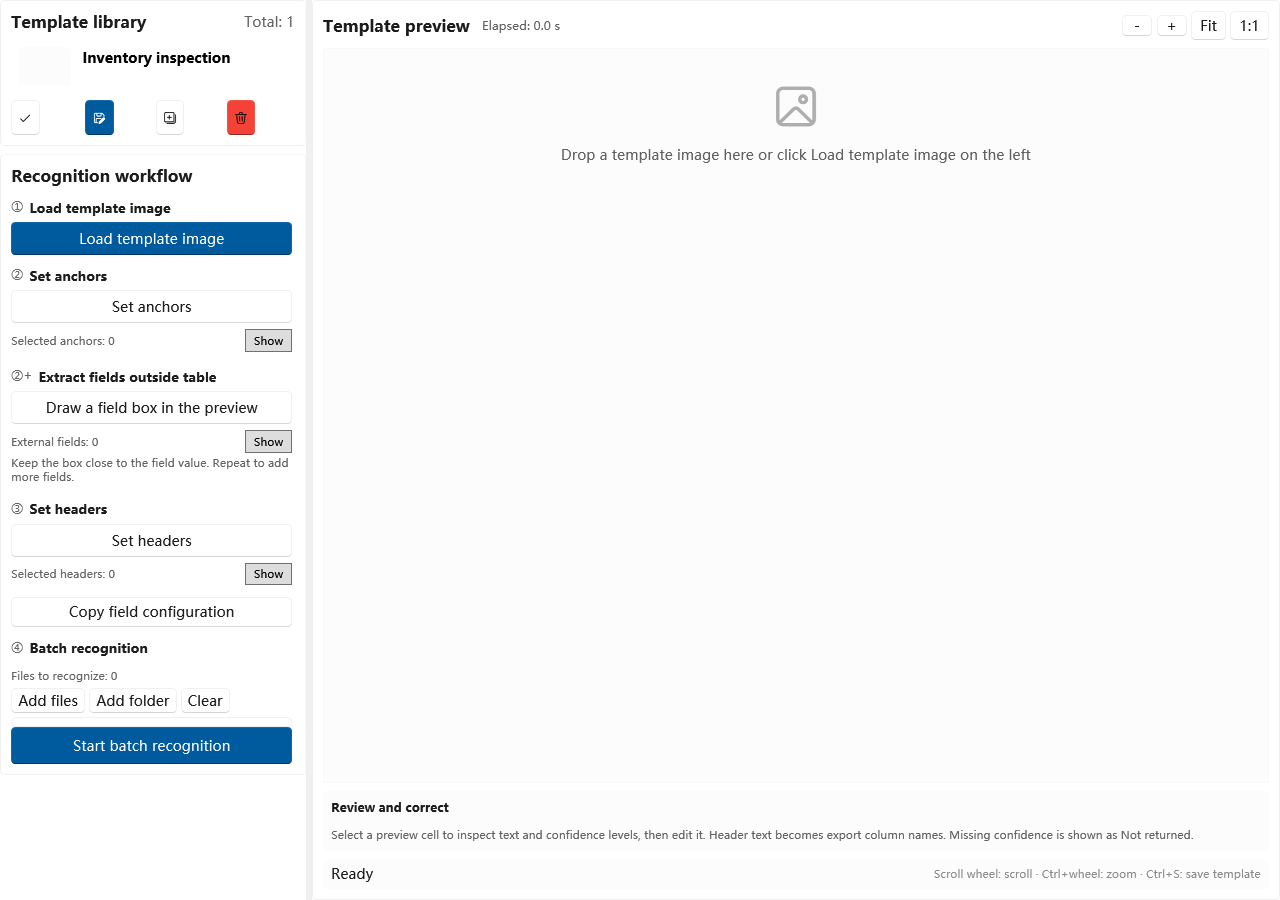
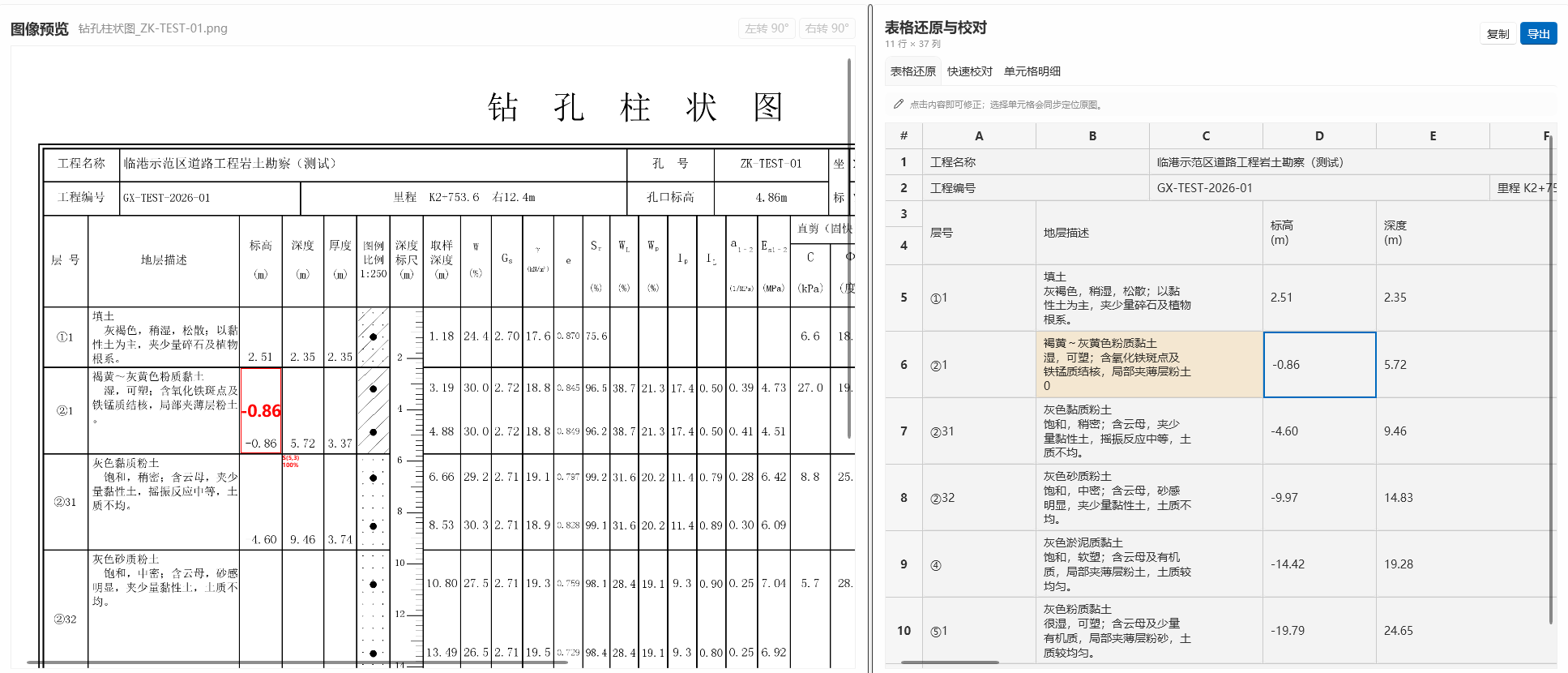
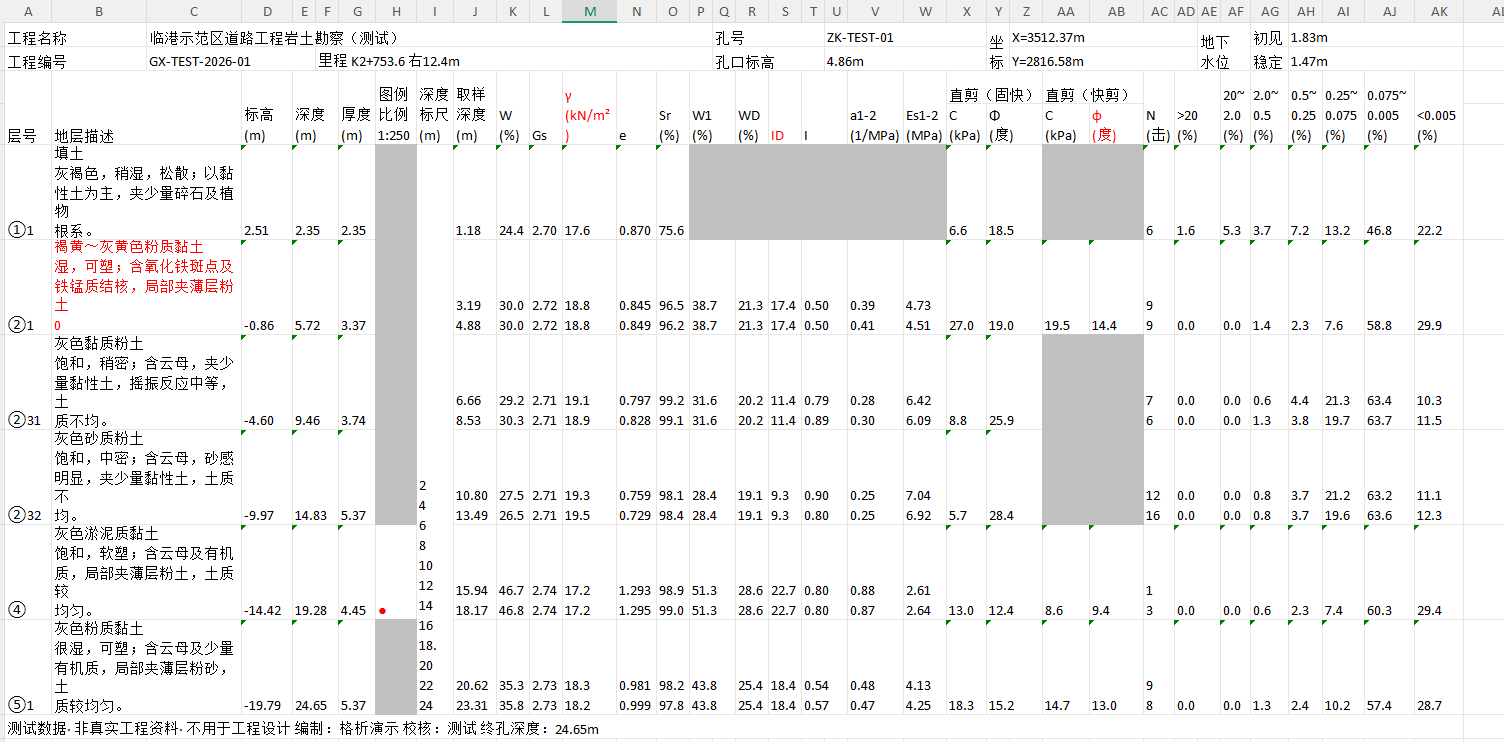
These product demonstrations use test borehole logs. Screenshots show the Chinese desktop interface and exported worksheets. Open any image to inspect it in full.
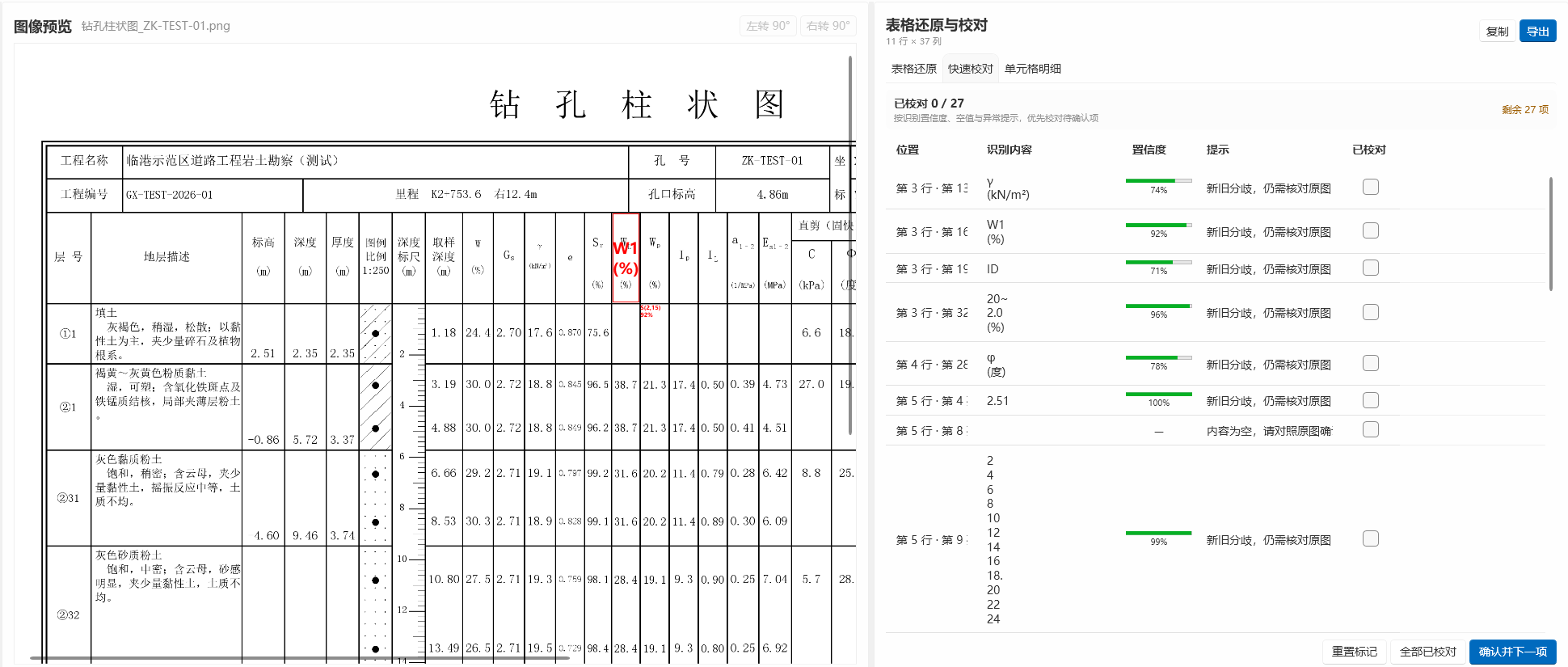
Compare the recognized table with the source, review uncertain content and export an editable worksheet while retaining the table layout.
 Open full-size image ↗
Compare and edit recognized cell content alongside the source.
 Open full-size image ↗
Inspect the exported layout, merged cells and editable content.
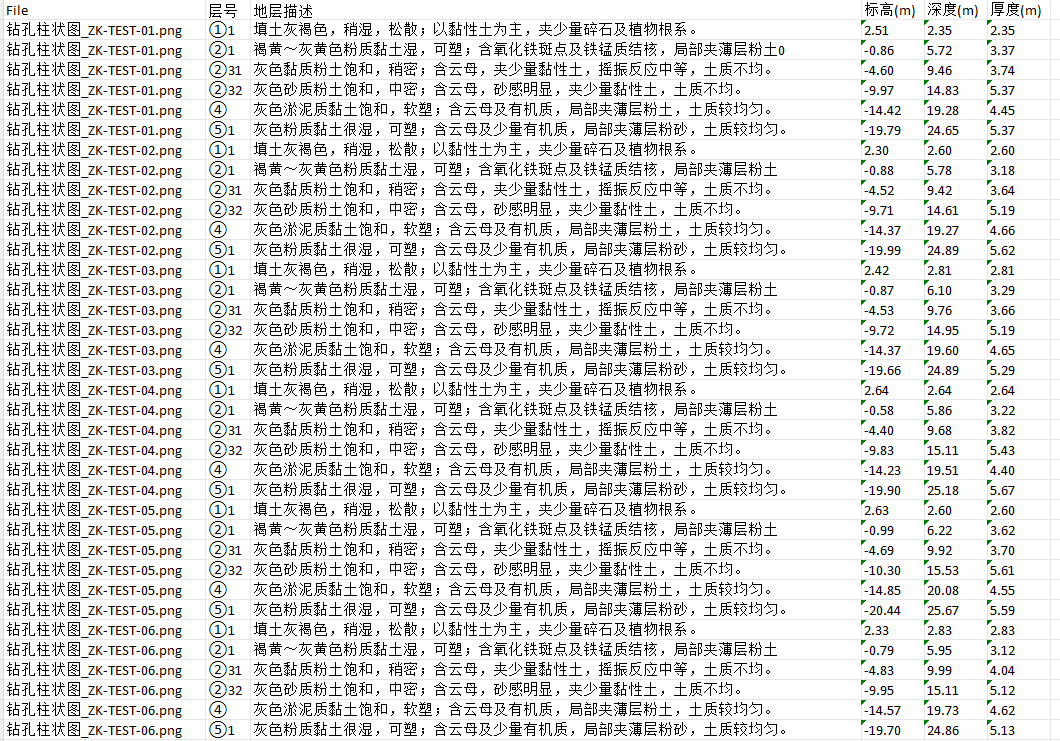
The red “0” in the Excel screenshot flags a recognition error for review. Other red text was added manually for this demonstration.
 Open full-size image ↗
Locate items to check using confidence and review prompts. These prompts cannot detect every error.
Select fields and table headers on a sample, then process similar images. Consolidate fixed fields per image and read internal tables by the selected headers, including tables whose row counts are variable or unknown in advance.
 Open full-size image ↗
Collect selected fields such as project name, borehole ID and coordinates into one worksheet.
 Open full-size image ↗
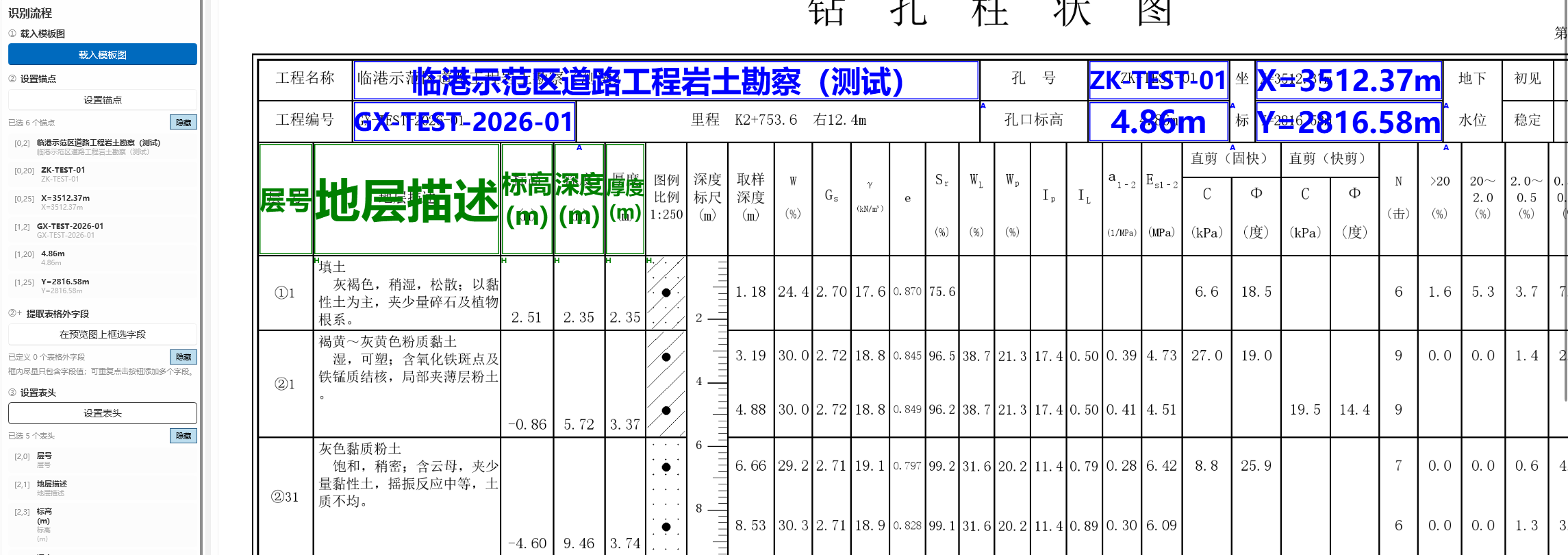
Read internal tables by configured headers, consolidating descriptions, elevations, depths and thicknesses. The number of rows need not be known in advance.
 Open full-size image ↗
Blue and green overlays illustrate selections and recognized text in the template interface.
Product demonstrations with test data. Results depend on image quality, layout and recognition mode. Recognition errors may remain; review results against the source before use.
The web trial accepts one PNG, JPEG, BMP or static WebP image up to 7.5 MB. It supports up to eight separate tables in one image. PDF, handwriting and batch uploads are not supported in the web trial. Complex merged headers, perspective distortion, small text and poor image quality may affect results.
Open the English sample and web trialSandGull focuses on repeated extraction, queues, source comparison and structured output. General multimodal tools may also extract tables and help explain or summarize content. Compare representative samples, missing rows or columns, merged cells, numbers, units and the time needed to review. We have not conducted a controlled comparison and make no accuracy or speed leadership claim.
For Windows 10 / Windows 11, 64-bit. The client and installer support English and Simplified Chinese. Signed publisher: Jun Tai.
Download Windows installer · 1.1.12 (English / Chinese)SHA-256: 8AB7F1EDD193762F219ED9E8D7365D1EA322F9AD06FC4417EC6FF5745D8D57BA
Version 1.1.12: Include Microsoft runtime libraries required for table structure recognition, fixing failures for some images on clean systems. Improve the Start button, structure error messages and diagnostic logging. Keep the compact installer; local text OCR components download on demand.
Previous version 1.1.7 added English to the client and installer and improved sparse table alignment, template columns and text layout.
Local offline recognition keeps images and results on your computer. Online recognition sends the required content to the selected service. The web trial uploads the selected image to SandGull for recognition and Excel generation. Read the privacy policy before uploading.
For product questions, contact support@sandgull.com. For privacy or account data requests, contact allen_tai@126.com. Do not post private images or account details in public groups.
SandGull takes its Chinese name, 沙鸥, from a line by the poet Du Fu: a solitary gull between heaven and earth. 格析 describes the work: finding structure in tables and putting information in its place.